How to install Windows 95 On Android OS (2.2+)
Hi, Android is awesome OS but sometime you tthink it is boring? Switch to windows OS. You just need to click 3-4 times then you are in Windows 95 OS. This Is made by acervenky time ago i am just re-posting for some users who havent seen this awesome guide yet!
Lets Begin With Guide..!!
First of all, download them-
1 SDL APK (App that will boot you in Windows 95)
2 SDL data (Windows 95)
Remember-
I am not responsible for bricked SDcard or your Android Device. I have tried this by the way.
Follow this Guide---
1 Install SDL app.
2 Put a disk image of type “.img” of any operating system in SDL folder and rename it to “c.img” (tested : win 95/98/XP —————-other os like Ubuntu/redhat etc can also be used)
3 Run app named "LibSDL" and it will take a while then it will boot into windows 95 OS.
4 Enjoy!!..
Screenshots-
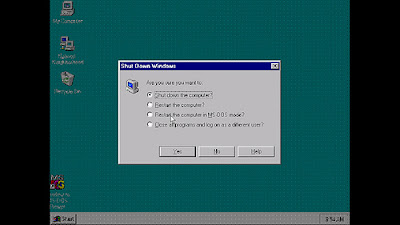
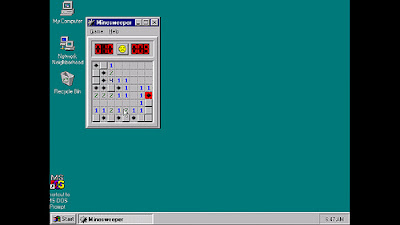
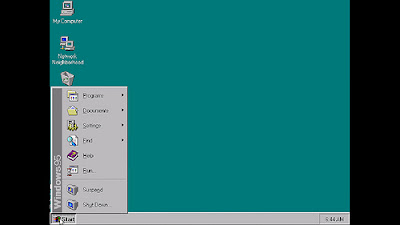
Note: You can install Ubunutu/Windows XP/Any OS by this guide but they will surely lag on low end devices.
Instructions :
- The screen works as touchpad to control the mouse cursor and volume up/down works as left/right click.
- You can also tap the screen to generate left click.(this does not work everytime)
- Back = BackSpace, Menu = Enter, left-upper corner click generates TAB
- left-lower corner click popups keyboard
( For a desktop like experience use this keyboard -> Hacker’s Keyboard )
-Create a folder called “HDD” on the root of your SDcard and put your softwares/files or anything in there. When you boot windows, then in “My Computer” you will see “d” drive which will have the “HDD” folder contents. So you can install/use them in Windows.
If you like this? Comment here for supporting!
Lets Begin With Guide..!!
First of all, download them-
1 SDL APK (App that will boot you in Windows 95)
2 SDL data (Windows 95)
Remember-
I am not responsible for bricked SDcard or your Android Device. I have tried this by the way.
Follow this Guide---
1 Install SDL app.
2 Put a disk image of type “.img” of any operating system in SDL folder and rename it to “c.img” (tested : win 95/98/XP —————-other os like Ubuntu/redhat etc can also be used)
3 Run app named "LibSDL" and it will take a while then it will boot into windows 95 OS.
4 Enjoy!!..
Screenshots-
Note: You can install Ubunutu/Windows XP/Any OS by this guide but they will surely lag on low end devices.
Instructions :
- The screen works as touchpad to control the mouse cursor and volume up/down works as left/right click.
- You can also tap the screen to generate left click.(this does not work everytime)
- Back = BackSpace, Menu = Enter, left-upper corner click generates TAB
- left-lower corner click popups keyboard
( For a desktop like experience use this keyboard -> Hacker’s Keyboard )
-Create a folder called “HDD” on the root of your SDcard and put your softwares/files or anything in there. When you boot windows, then in “My Computer” you will see “d” drive which will have the “HDD” folder contents. So you can install/use them in Windows.
If you like this? Comment here for supporting!


Comments
Post a Comment